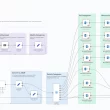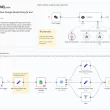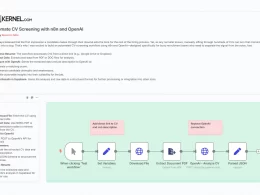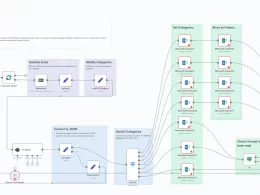
I’ve watched how support teams and community managers struggle to keep up with the flood of WhatsApp messages—simple questions buried under multimedia, VIP clients left waiting, and repetitive inquiries stealing time from real problem-solving. That’s why I built a versatile n8n workflow that uses AI to intelligently process and respond to WhatsApp messages, so your team can scale conversations without losing the human touch.
Why AI-Driven WhatsApp Responses Matter
- High Volume & Multimedia
With text, voice notes, images, and videos all coming through WhatsApp, manually triaging and replying eats up hours every day. - Consistency & Speed
Customers expect fast, accurate replies. AI ensures every message is parsed correctly and answered in a cohesive brand voice. - Scalability
Whether you’re a lean startup or a large support center, automating the first pass lets your team focus on complex cases instead of rote replies.
How the Workflow Flows
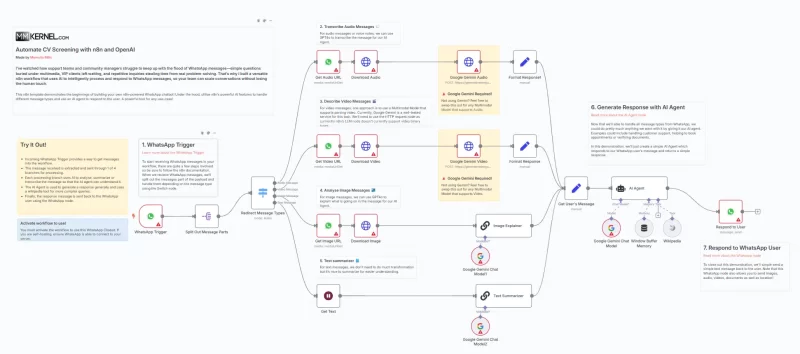
- WhatsApp Trigger
An n8n WhatsApp Trigger node listens for incoming messages (text, audio, image, or video) via your WhatsApp Business API. - Split & Download Media
- A Split node breaks out each message.
- For media (audio, video, image), n8n fetches the media URL and downloads the file via HTTP Request nodes.
- Content Extraction & Transformation
- Audio: Sent to Google Gemini Audio (or your preferred multimodal API) for transcription.
- Video: Sent to Google Gemini Video for a descriptive summary.
- Image: Passed through a LangChain “Image Explainer” to identify key objects or text in the picture.
- Text: Optionally summarized for brevity with a LangChain chainLlm node.
- Contextual Memory
A Window Buffer Memory node maintains short-term history per user session, so follow-up messages “remember” what was discussed previously. - AI Agent Response
All processed content is fed into an AI Agent node (backed by OpenAI or Gemini), with a system prompt that defines your brand’s tone and policies. The agent generates a tailored reply. - Send Back on WhatsApp
Finally, the formatted response is sent back via the WhatsApp node—complete with text, images, or attachments as needed.
Key Benefits
- Unified Handling of All Media Types
One workflow handles text, voice notes, images, and video seamlessly. - Brand-Consistent Replies
By defining the system prompt, every message reflects your company’s voice and guidelines. - Reduced First-Response Time
Automated replies mean near-instant acknowledgement, boosting customer satisfaction. - Session Awareness
Memory nodes let the bot recall previous interactions, preventing repetitive Q&A loops.
Tips for Implementation
- Customize Your System Prompt
Tailor the AI Agent’s instructions to emphasize friendliness, technical accuracy, or compliance requirements. - Adjust Batch Sizes & Rate Limits
If you hit API rate limits on media processing, tweak the SplitInBatches node to process fewer items at once. - Monitor & Retrain
Log AI-generated responses and regularly review for quality. Update prompts or fine-tune your model as your product evolves. - Fallback Paths
Add a fall-through branch for “I’m not sure”—forward these messages to a human agent with the AI’s analysis attached.
Ready to transform your WhatsApp support into a 24/7, AI-powered powerhouse? Import this workflow into n8n, connect your WhatsApp Business credentials and AI keys, and let the automation handle the conversational heavy lifting.