
I’m excited to share a new n8n workflow I’ve built that completely automates tagging my WordPress blog posts using AI. If you’ve ever spent more time wrestling with tags than writing, this one’s for you.
Why Auto-Tagging Matters
When I first started blogging, I’d manually add tags to each post—often inconsistently, and sometimes forgetting entirely. Over time I realized:
- Tags are critical for SEO and reader discovery.
- Consistency (slug formats, title-case names) makes site navigation smoother.
- Manual tagging is tedious and error-prone.
That’s why I turned to n8n + OpenAI: let the machine handle tag suggestions, creation, and assignment so I can focus on content.
How the Workflow Works
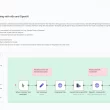
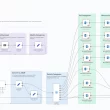
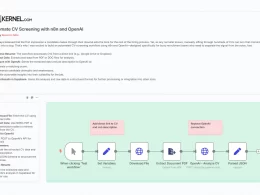
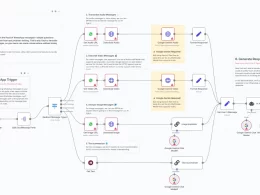
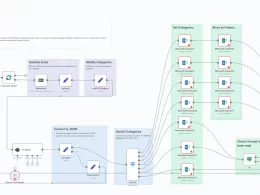
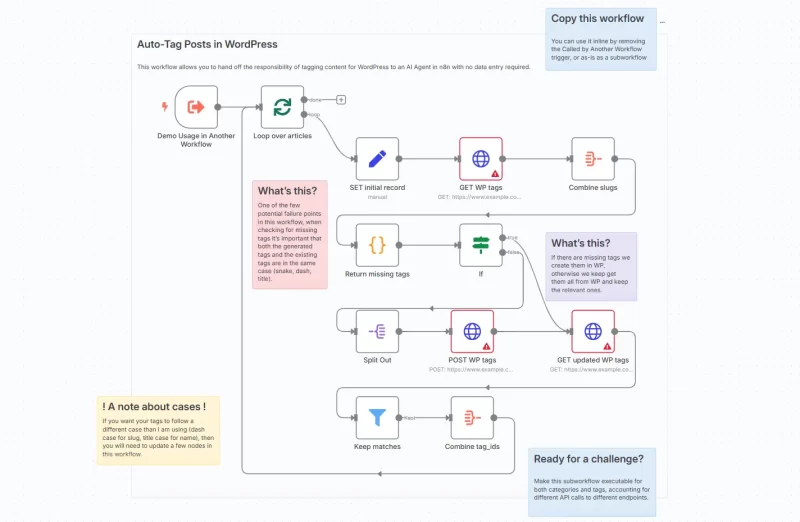
Here’s a high-level walkthrough of the steps:
- RSS Feed Trigger
I point n8n at my blog’s RSS feed (polling every minute). Every new post kicks off the workflow. - Generate Tags with OpenAI
Using the@n8n/n8n-nodes-langchain.lmChatOpenAinode, I send the post content to OpenAI with a prompt like: “Please provide 3–5 suitable tags for the following article… Tag formatting rules: title case.” - Compare vs. Existing Tags
- A
GETrequest towp-json/wp/v2/tagsfetches all current tags. - I normalize both sets to dash-case slugs and filter out tags that already exist.
- A
- Create Any Missing Tags
For each missing slug, aPOSTtowp-json/wp/v2/tagscreates the tag (setting both slug and human-friendly name). - Re-fetch & Aggregate IDs
After creation, I pull the updated tag list, filter to just the ones matching my desired slugs, and aggregate their IDs. - Publish (or Update) the Post
Finally, I call the built-in WordPress node, passing the tag IDs so the post is published with all the right tags attached.
Key Tips & Gotchas
- Case & Formatting
Slug case must match exactly between generated and existing tags. I use dash-case for slugs, title case for display names—but you can adjust the nodes if you prefer snake_case or another style. - “Run Once for Each Item”
If you extract this as a subworkflow, be sure to enable “Execute Once for Each Item” so data flows correctly between the main and called workflows. - Error Points
The biggest potential hiccup is mismatched cases. I added a small “Auto-fixing Output Parser” node after OpenAI to enforce JSON schema and normalize output. - Extending to Categories
Want to auto-categorize as well? You can clone this subworkflow, adjust endpoints (/categories), and merge results before posting.
How I Use It
Now, whenever I publish a new article:
- n8n picks it up via RSS.
- AI suggests relevant, SEO-friendly tags.
- Any new tags are created in WordPress on the fly.
- My post goes live fully tagged, without me lifting a finger.
This has saved me countless minutes per week and ensured consistent taxonomy across my site.